.jpg)



|
Css GuidePlease find below a guide to all the headings and styles that can be used on the Chelmsford HC site. The site is controlled by CSS (cascading style sheets), this enables us greater control over the HTML (hyper text markup language) and therefore the look and style of the website. Do not panic that is the last acronym. As you may or may not be aware HTML tags enables you to change the font style and color of text and images. Instead of say using Microsoft Word and clicking on the bold icon, in HTML you would wrap the text in <b></b> tags. So if I wanted a bold sentence, “here is a bold sentence” I would wrap this sentence in <b></b> tags: <b>here is a bold sentence</b> For further information on learning HTML if you are keen you could try webmonkey, or BarcodesInc. If you know HTML please read on, otherwise feel free to ignore. Please do not add your own styles to the pages. This is because we wish the site to look consistent; secondly, as the site is controlled by css we will make changes the style sheet and will be unaware of your own styles. This could cause your information to look odd or at worse not appear at all. Below is a list of the current styles and lists, if you want something to be added to this list please feel free to contact the web team and we will try and accommodate your needs. To produce a main heading use the <h1>a heading</h1> tag and this will produce: a headingto produce a sub heading use <h2>a sub heading</h2> a sub headingFor sub sub headings please just use the <b>a sub sub heading</b> sub sub headingfor Normal text simple use the <p></p> Here is some normal text
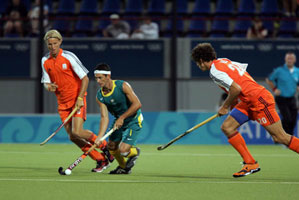
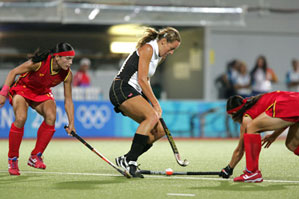
To get an image to the left use <div class="img-shadowLeft"><img src="images/image2.jpg" /></div> for a list with bullet points use <ul></ul> and <li></li> for each list item e.g. <ul> <li>item 1</li> <li>item 2</li> </ul>
for a list without bullet points use <ul class="noBullet"></ul> and <li></li> for each list item e.g. <ul class="noBullet"> <li>item 1</li> <li>item 2</li> </ul>
for a list with numbers use <ol class="decimal"></ol> and <li></li> for each list item e.g. <ol class="decimal "> <li>item 1</li> <li>item 2</li> </ol>
for a list with roman numerals use <ol class="lroman"></ol> and <li></li> for each list item e.g. <ol class="lroman "> <li>item 1</li> <li>item 2</li> </ol>
for a list with upper case roman numerals use <ol class="uroman "></ol> and <li></li> for each list item e.g. <ol class="uroman "> <li>item 1</li> <li>item 2</li> </ol>
for a list with letters use <ol class="lalpha"></ol> and <li></li> for each list item e.g. <ol class="lalpha "> <li>item 1</li> <li>item 2</li> </ol>
for a list with uppercase letters use <ol class="ualpha"></ol> and <li></li> for each list item e.g. <ol class="ualpha "> <li>item 1</li> <li>item 2</li> </ol>
|
Partner of the Page Charltons
Chelmsford Hockey Club is proud to be sponsored by: TNT Newsfast Website Edmund Carr Chartered Accountants Website Brockmans Travel Website For further information about sponsorship please visit our sponsor's page. |